Free · No sign-up · Instant PNG
Free crochet pattern generator — turn any photo into a real chart
Upload a photo, pick a technique, and get a stitch-ready chart — with a yarn-friendly palette and exact stitch counts for every color.
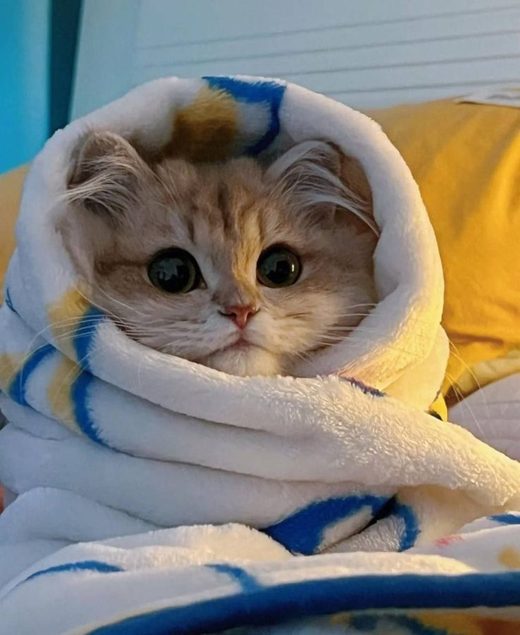
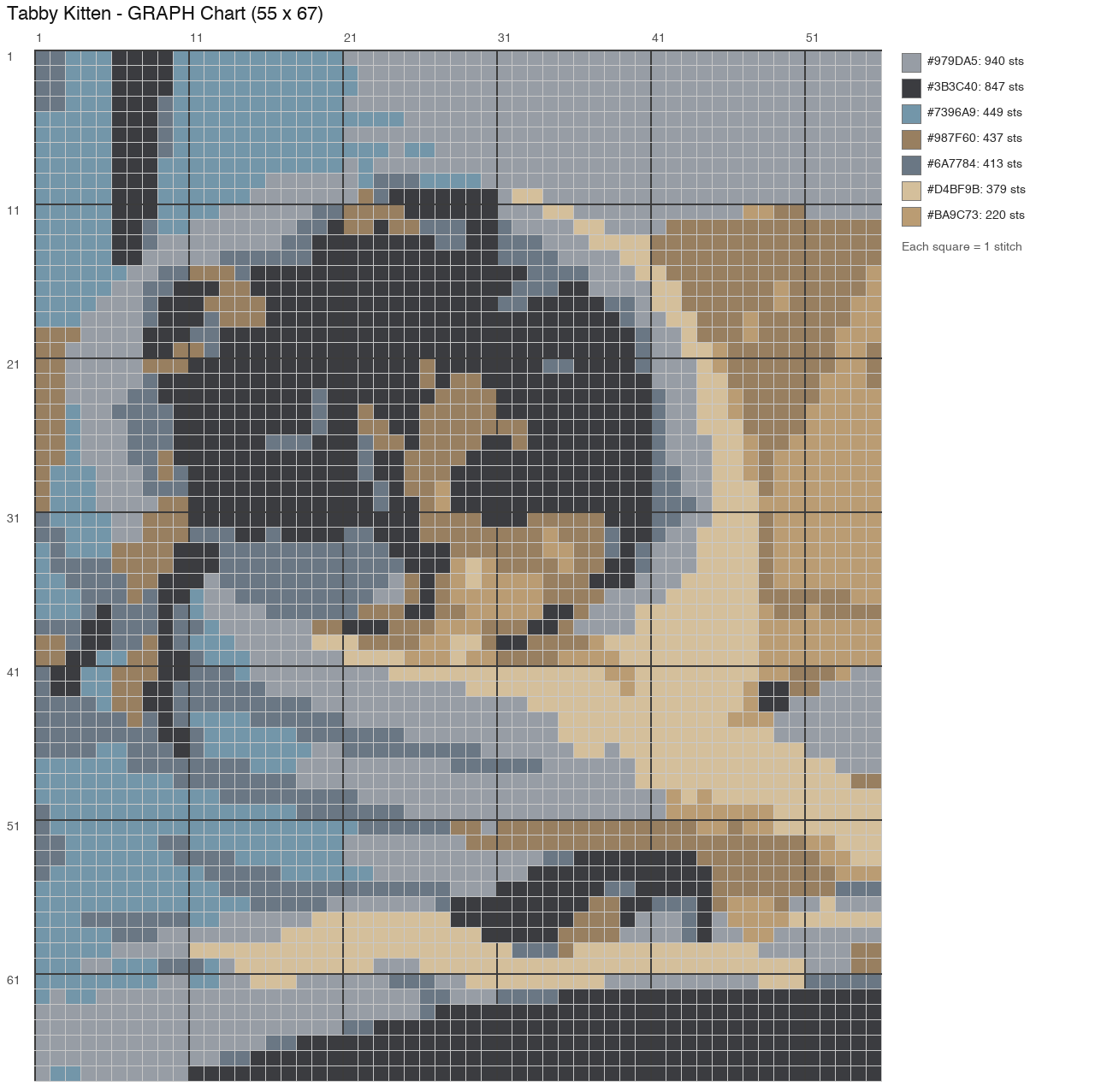
What is a crochet pattern generator?
A crochet pattern generator is a tool that turns an image into a stitch-ready chart: a grid where every cell is one stitch, paired with a yarn-friendly color palette and exact stitch counts for every color. CrochetPatternGen does this with deterministic image processing — resize, color quantization, grid mapping — so what you see in the chart is exactly what you stitch. Free, no sign-up.
What you get from this crochet chart maker
Not a blurry approximation — a working document you can crochet from, down to the last stitch.
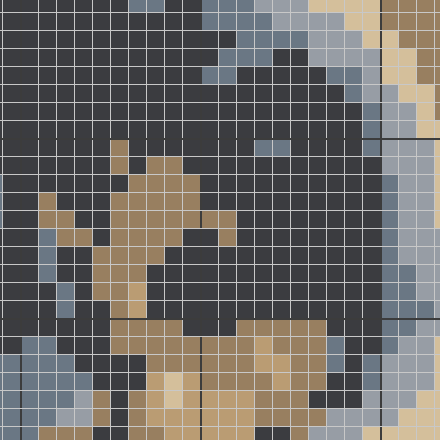
A grid where every square is one stitch
Your photo is mapped onto a true stitch grid — no hand-tracing, no guessing where a color boundary falls. Count across the rows exactly the way you crochet them.
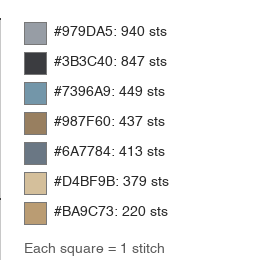
A yarn-friendly palette
Colors are quantized down to 2–16 shades you can actually buy yarn for, each with its hex code — so the chart matches your stash instead of fighting it.
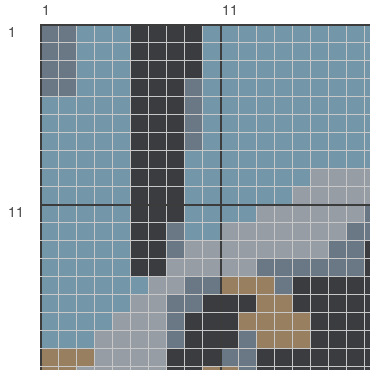
Exact stitch counts, numbered rows
Every color comes with an exact stitch count, and the grid is numbered so you never lose your place — estimate yarn before you buy, not after you run out.
Everything is computed from the actual pixels of your photo — no redrawing, no approximation. If you change your mind about the size or the palette, move a slider and regenerate: comparing a 60-stitch wall hanging against a 100-stitch blanket takes seconds, not an evening with graph paper. That is what a crochet pattern creator should feel like — the math disappears, the stitching stays.
How to turn a photo into a crochet chart
Three steps, under a minute — from the photo on your phone to a chart on your lap.
Upload your photo
Drop in any JPG, PNG, WebP, or GIF up to 10 MB. Simple subjects on plain backgrounds — pets, portraits, logos, cartoon art — convert into the cleanest charts. Your photo is used only to build your chart and is never published.
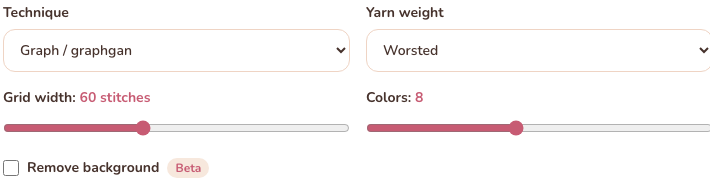
Pick a technique and settings
Choose graph (graphgan), C2C, tapestry, mosaic, or filet, then set the grid width anywhere from 20 to 120 stitches and cap the palette at 2–16 colors. The chart updates to match the way each technique is actually worked.
Download your chart and stitch
Review the chart, the per-color stitch counts, and the quality tips, then download the PNG. Every square on the grid is one stitch — print it or keep it on your phone while you crochet.


Crocheters use the generator for baby blankets from an ultrasound photo, graphgans from a pet portrait, and C2C panels from a child’s drawing. If it matters enough to photograph, it is worth stitching.
Pick your technique — graphgan, C2C, and more
Each crochet pattern maker is tuned for a specific crochet technique, with guides, comparisons, and answers for that style. Generators in rose, calculators in warm brown, reference charts in sage.
Amigurumi Pattern Generator
Design your own amigurumi — pick shapes, set the size, get the full pattern.
Crochet Graph Maker
Make a graphgan-style grid chart from a picture in seconds.
C2C Crochet Pattern Generator
Corner-to-corner charts with the right block proportions.
Filet Crochet Pattern Generator
Two-color open/filled mesh grids for classic filet crochet.
Mosaic Crochet Pattern Generator
Overlay mosaic charts with clear color rounds and stitch counts.
Tapestry Crochet Pattern Generator
Colorwork charts designed for carrying yarn as you go.
Crochet Letter Chart Generator
Type a name or word, get a stitch-ready letter chart for name blankets.
Knitting Chart Maker
Turn photos into fair isle and colorwork knitting charts.
Yarn Calculator
How much yarn do you need? Estimate by project or from your actual chart.
Crochet Stitch Calculator
Turn your swatch into starting chains, row counts, and corrected pattern numbers.
Crochet Blanket Calculator
Standard blanket sizes, starting chains, row counts, and border rounds.
Granny Square Calculator
How many squares your blanket needs — and how many squares a skein makes.
Crochet Price Calculator
Price handmade crochet from real costs: materials, time, fees, and a fair wage.
Knitting Calculator
Evenly spaced decreases & increases, cast-on counts, and knit-specific yarn estimates.
Knitting Gauge Calculator
Swatch in, gauge out — stitches per inch, cast-on counts, and gauge mismatch fixes.
Cross Stitch Calculator
Aida fabric size and floss estimator for any stitch count and fabric count.
Crochet Row Counter
Track rows with one tap — progress auto-saves, with optional chart row highlighting.
Crochet Abbreviations Glossary
60+ crochet abbreviations with US full names and UK equivalents.
Crochet Stitch Library
12 stitch tutorials with symbol charts — moss, magic ring, bobble, alpine & more.
Crochet Symbols Chart
Every stitch symbol explained — US & UK names, with the symbols drawn.
Crochet Abbreviations Decoder
Paste any pattern, read it in plain English — US and UK differences flagged.
Pattern Stitch Checker
Verify every round's stitch count against its instructions — with the math shown.
Crochet Hook Sizes
US/UK/Japan hook size converter and full chart with yarn pairings.
Crochet Color Combinations
Every unique color arrangement for your granny squares — with a checklist.
Stitch Fiddle Alternative
An honest comparison: manual chart editor vs automatic photo conversion.
Free patterns, ready to stitch
Real charts with grids, palettes, and stitch counts — original designs and real photos converted by the generator.
All charts are original pixel designs or programmatic conversions, reviewed before publishing.
All Free Patterns
The full chart library — blankets, animals, motifs.
Animal Patterns
Free animal charts — cats, dragons, frogs — with stitch counts.
Cat Patterns
Real cat photos turned into stitch-ready charts.
Dragon Pattern
Original baby dragon chart in three colorways.
Frog Pattern
The friendliest first chart — 24 stitches, one evening.
Blanket Patterns
Ripple, granny, temperature, gingham — the blanket hub.
Baby Blankets
Hearts, stars, and bunnies with stitch counts.
Temperature Blankets
Three ready-made color scales for the year-long project.
Why a real chart and not an AI picture
AI image tools can paint a blanket that looks crocheted. Only a real chart tells your hands what to do, stitch by stitch. The difference shows the moment you pick up a hook:
A real chart
- Every square is exactly one stitch — you can count rows and never guess.
- A fixed palette of yarn-buyable colors with hex codes and stitch counts.
- Deterministic conversion: the same photo always gives the same chart.
- Printable, editable cell by cell, and sized to your gauge.
An AI-generated picture
- Pretty, but the “stitches” are painted — impossible to count or follow.
- Unlimited imaginary colors that no yarn shop sells.
- Regenerate and you get a different blanket every time.
- Looks right until you pick up a hook and try to actually make it.
We put the two side by side in detail: crochet chart vs. AI image — an honest comparison →
Frequently asked questions
Is this crochet chart maker really free?
Yes. You can upload a photo, generate a chart, and download the PNG for free, with no account and no sign-up. Free charts carry a small watermark; a Pro tier without the watermark and with PDF pattern packs is planned.
What kind of photo works best for a crochet chart?
High-contrast photos with one clear subject and a plain background convert best. Fine gradients, blurry shots, and cluttered backgrounds lose detail when they are reduced to a stitch grid — the quality score shown with your chart warns you when that happens, so you can try a different photo or a smaller grid.
Which technique should I choose — graphgan, C2C, tapestry, mosaic, or filet?
Pick graph (graphgan) for blankets worked in rows of single crochet, C2C for corner-to-corner block blankets, tapestry for colorwork where you carry the yarn, mosaic for overlay color patterns, and filet for two-color open-and-filled mesh. If you are unsure, start with graph — it is the most forgiving for a first chart.
Can I use this as a filet crochet pattern maker?
Yes. Pick the filet technique before generating and the chart maker reduces your photo to the two-color grid filet crochet uses — filled blocks for the motif, open blocks for the background, with exact block counts per color. Bold silhouettes like animals, flowers, letters, and holiday motifs convert cleanest. For filet-specific settings and examples, see the dedicated filet crochet pattern generator in the tools below.
How many colors should my chart use?
For graphgans and tapestry work, 4–8 colors is the range most crocheters enjoy. More colors mean more bobbins and more ends to weave in, so start low and only raise the count if the chart loses detail that matters to you.
What grid size should I pick?
The grid width equals your stitch count across. A 60-stitch-wide chart in worsted yarn makes a small wall hanging or panel; 90–120 stitches is blanket territory. Bigger grids keep more photo detail but take much longer to crochet, so match the size to the project you actually want to finish.
Will my photo be kept private?
Yes. Your photo is used only to generate your chart and is never published. Charts leave the site as public pages only if you explicitly create a share link yourself — uploading and downloading stay private.
Can I edit my chart after generating it?
Yes. Open the cell editor on your generated chart to recolor or erase individual squares before downloading — handy for cleaning up a background or fixing a face. You can also start from a blank canvas and draw a design from scratch, cell by cell.
What is the difference between a crochet chart and a crochet pattern?
A chart is the visual half of a pattern: a grid where every square is one stitch and every color is one yarn. A full written pattern adds row-by-row abbreviations. Charts are ideal for colorwork like graphgans and C2C blankets, where you follow the picture rather than counting written repeats.
Is this an AI crochet pattern generator?
No. CrochetPatternGen uses deterministic image processing, not a language model: every chart cell maps directly to a pixel in your photo. That means no invented details and no wrong stitch counts — the chart you get is mathematically consistent with the image you uploaded.

